
If you like customizing your Windows environment and you use VLC Player then this tutorial will be of great use for you since I will show how you can install custom skins in your VLC player.

Step 1: First thing what you need to do is go to VLC Player Skin Library, find the skin you like and download it on your computer
Step 2: Start your VLC Player and click on Tools option
Step 3: From drop down men choose Preferences

Step 4: Inside left pane click on the Interface icon
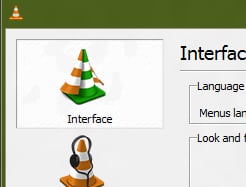
Step 5: Now inside right pane, under Look and Feel section select Use custom skin selectbox
Step 6: Click Browse button and select the skin you previously downloaded for your VLC Player

Step 7: Click Save button now and restart VLC player. Next time when you lunch it again your custom skin will be applied

Step 8: If by any chance you wish to return to default skin, then repeat Step 1, Step 2, Step 3, and then under Look and Feel section select use Native style.
[ttjad keyword=”all-in-one-desktops”]

![Read more about the article [Tutorial] How To Turn On Battery Saver For LG G3 Or G3 S](https://thetechjournal.com/wp-content/uploads/2014/12/BSA_1-432x768.png)
![Read more about the article [Tutorial] How To Correct Your Spelling Errors In All Type Of Forms – Mozilla Firefox](https://thetechjournal.com/wp-content/uploads/2012/05/firefox-form-fields-options-change.webp)
![Read more about the article [Tutorial] How To Play Old DOS Video Games Under Windows 7 Or Vista](https://thetechjournal.com/wp-content/uploads/2012/06/d-fend-desktop-icon.webp)
how addictive are drugs [url=https://otvetnow.ru]https://otvetnow.ru[/url] dsget last logon