
Updates are very essential for the apps to work properly in the long run. It contains some bug fixing solution, may be some compatibility features for specific use or may also contain some new features. But sometimes it feels ridiculous when you have so many apps and a bunch of them are in the queue for update and it eventually starts updating automatically in your Android device. Here is a very easy solution to stop auto-update in the Android.
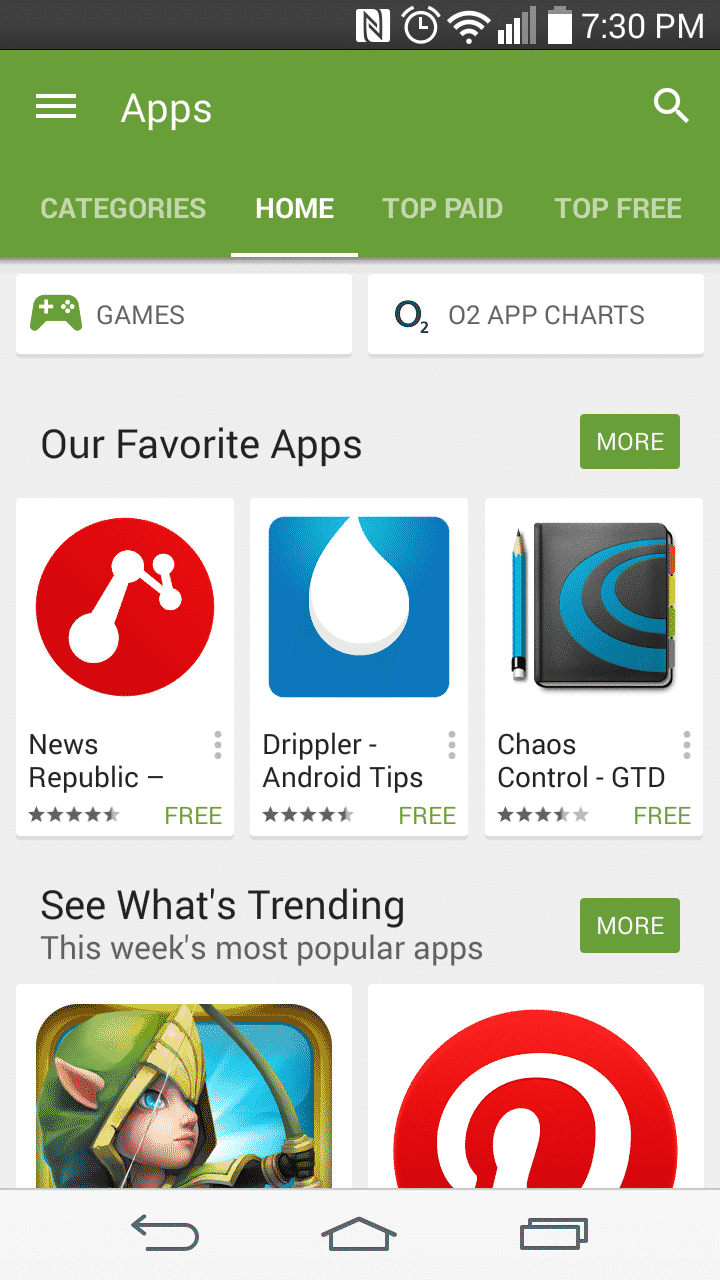
Today I am going to show you How to disable auto-install of Android apps in your Android device.
Step 1: Go to Google Play Store.
Step 2: Go to menu option of in the Play Store your Android device.
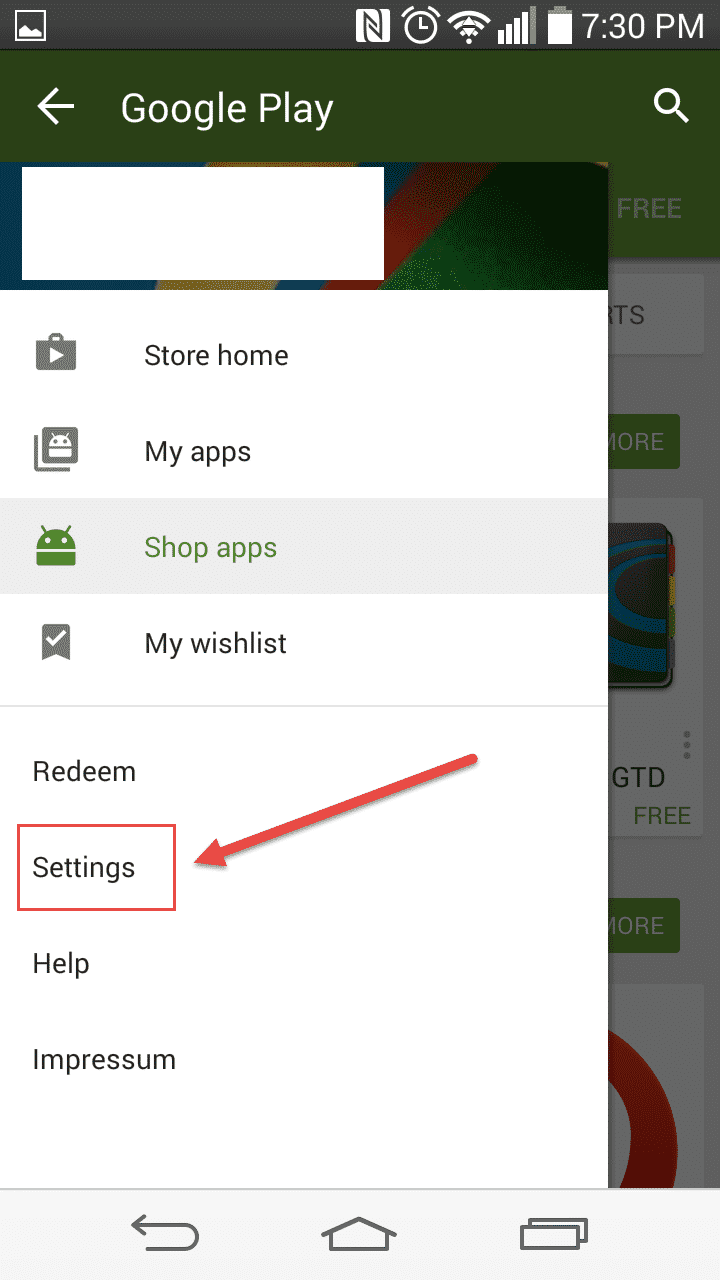
Step 3: There you will find several categories. Tap on “Settings”.
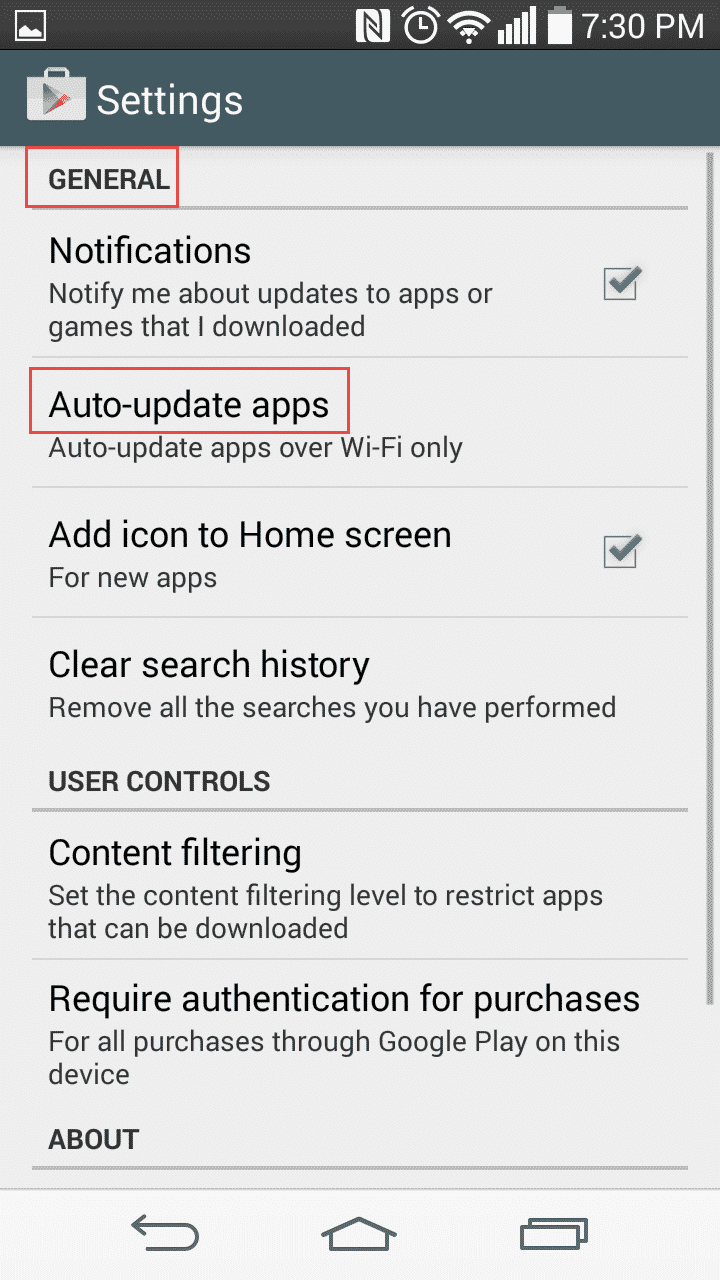
Step 4: Under the “General” subcategory choose “Auto-update apps”.
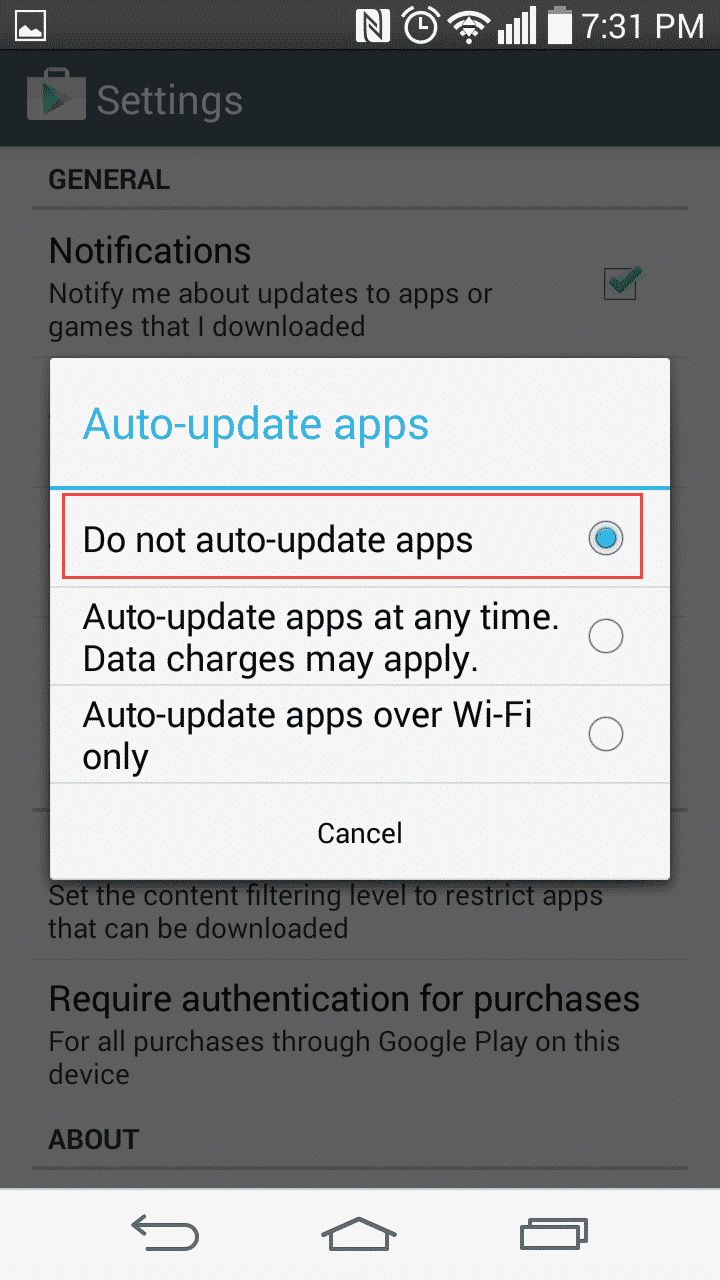
Step 5: You will then get 3 options to choose. Those are (1) Do not auto-update apps (2) Auto-update apps at any time. Data Charges may apply and 3) Auto-update apps over Wifi only.
Step 6: Tap “Do not auto-update apps”. And from then no auto-update of the apps will be executes.
Let us know in comments if you find this guide helpful!
[ttjad keyword=”android-phone”]

![Read more about the article [Tutorial] How To Change Default Music Player On Android](https://thetechjournal.com/wp-content/uploads/2015/01/CMP_1.webp)
![Read more about the article [Tutorial] How To Use iCloud On Windows 7](https://thetechjournal.com/wp-content/uploads/2012/03/icloud-windows-logo.webp)