
If you want to share your favorite videos or music artists with your friends without coping links one by one you can simply create a playlist and add all your videos inside. In this tutorial I will show you how to do that, and with new YouTube feature called Disco this has become even easier and faster.

Step 1: In your Web browser, go to the address http://www.youtube.com/disco
Step 2: If you are not logged in, click Login at the top of the page and log in with your Google/YouTube Account
Step 3: Type the artist name inside search field and click Disco! button

Step 4: A selection of 100 clips is then offered and automatically start playing from first one.
Step 5: Click Options and then click Save as a New Playlist.

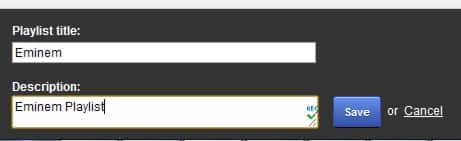
Step 6: Name your playlist, enter a description and click Save.
Step 7: Click your playlist name

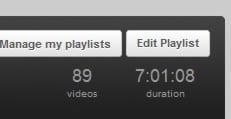
Step 8: Then from top right click on click Edit Playlist.
Step 9: Then you can remove items from the list by clicking on the cross button beside every video.
Step 10: To add a video to the playlist, click Add video by URL and simply paste video url in the box that appears. Click Add.
Step 11: Click Save when you finished editing your list.

Step 12: Click the Share button.
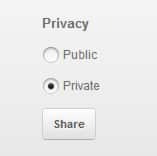
Step 13: The service then gives you a link to your playlist. You can copy or send it directly to friends via email by clicking on Email.
Step 14: Enter the recipients address and confirm.
Step 15: Your friends will simply click on the link in the email to view your playlist.
[ttjad keyword=”best-selling-gadget”]

![Read more about the article [Tutorial] How to Run the “SFC /SCANNOW” Command in Windows 8](https://thetechjournal.com/wp-content/uploads/2012/10/charm-sEARCH-OPTION-ASD4A4S65465.webp)
![Read more about the article [Tutorial] How To Organize Multiple Inboxes In Gmail](https://thetechjournal.com/wp-content/uploads/2012/03/gear-icon.webp)