
Android 2.3.3 Gingerbread Allows Screenshots Without Rooting

Google began rolling out Android 2.3.3 over the air updates for Nexus One and Nexus S smartphone users last week. The update brings Gingerbread’s key features including a tweaked user interface, improved keyboard, and better power management to the Nexus One, while removing Facebook sync from the Nexus S.
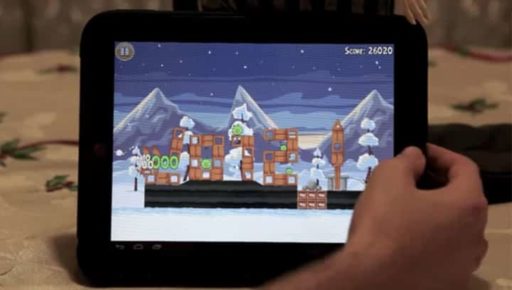
The good news is that users are reporting the Android 2.3.3 finally allows users to take screenshots of their device without first rooting their phones or installing the SDK. While iPhone users have always been able to snap a picture of their screen by pressing the Home and Power buttons simultaneously, Android users either had to connect their device to computer with a USB cable, install the Android SDK kit, and run a desktop app — or root their Android device and install a third party app such as ShootMe.

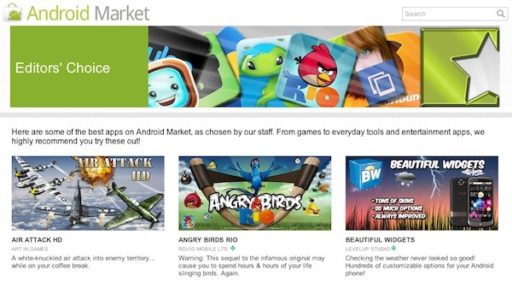
According to Androidcentral, the root-free screenshot feature will be implemented in this new version of Android, meaning that applications created by third-party developers will be allowed to grab whatever is being displayed on the screen. Of course, it’ll still take some time before Gingerbread is spread to all Android terminals and we start seeing screenshot-capable Android apps in the Market, but in any case it is a long-awaited feature that’s finally come true.
Thanks Via
Click On Ads To Buy Android Devices

Recent Tech News

Google Chrome has been trailing Internet Explorer for a long time. It was expected that it will soon overtake IE and now, this has happened. According to the latest set of data from Statcounter, Google Chrome is now the most used web browser online, beating Internet Explorer to secure the top spot.

Ever since Apple rolled out an update for its mobile OS, the iOS 5.1.1, the iOS community and iOS hackers have been working hard to find an untethered jailbreak for the firmware. Now, it seems that the notable iOS hackers are right on the verge of the jailbreak and may make it available pretty soon.

GE brings a new X5 Power Pro Series 14.1 MP Digital Camera. Optical image stabilization and a powerful 15x zoom put you closer to the action to take photos like a pro. The X5 comes with the latest high-tech features and easy to use design. The features include a 2.7-inch high-resolution LCD screen with auto adjust brightness, face detection, automatic face exposure, in-camera red-eye removal, optical image stabilization, blink detection, smile detection, and Quick Time Motion JPEG movie recording and lot more.

We recently reported that the firmware of Samsung Galaxy S III was recently leaked, letting developers make use of the S Voice APK. S Voice is the voice-based assistant that is part of Galaxy S III. However, Samsung has been quick in responding to this and has worked it out with Vlingo, the service which is powering S Voice. And as a result, anyone not using Galaxy S III can no longer make use of the feature.

  On March 2, 2011(1 year, 2 months ago.)
  • Asf

    with galaxy s u can do it with 2.2 and 2.2.1

  • Erica_mari14

    How do we take screenshots?!?!?! I have the update on my Droid X &I want to know how to take screenshots

  • Smackfanatic

    This is not true of all phones. Most phones that ship with gingerbread have the screenshot ability. Most that receive it OTA on older phones like DROID X still can’t do it.

  • Rhopper

    Evo allowed screenshots without root before the update but now doesn’t allow them. Will this be coming back? Or do I need to root?

  • Vane272000

    How do you do it with galaxy s 2.2.1

  • Jerkson

    push the back button softkey and home key at the same time. voila

  • Emily Tran

    What about samsung galaxy s 2.3.6? o:


Recent Search

Tags
3D 3G Amazon Android App Apple Application Apps App Store AT&T Bluetooth. breaking news camera download entertainment Facebook features free free app Game Gaming Google HD HDMI How To HTC intel iOS iPad iPad 2 iPhone iPhone 3GS iPhone 4 iPhone app iPod ipod touch itunes iTunes link jailbreak Laptop MAC Microsoft Mobile news PC review samsung smartphone Software Sony Tablet tablets Tutorial Twitter update Verizon version video Wi-Fi Windows Windows 7
Close You Have To Login
User:
Pass:
Login With »Login With TwitterLogin With Facebook