If your computer crashes as a result of a change in the BIOS or change in hardware, you can try to reset the BIOS settings to factory default by emptying the CMOS memory that stores the BIOS. You can clear the CMOS memory directly from the BIOS or from your motherboard; in this tutorial I will show you three methods which will help you restore you BIOS settings to factory default.
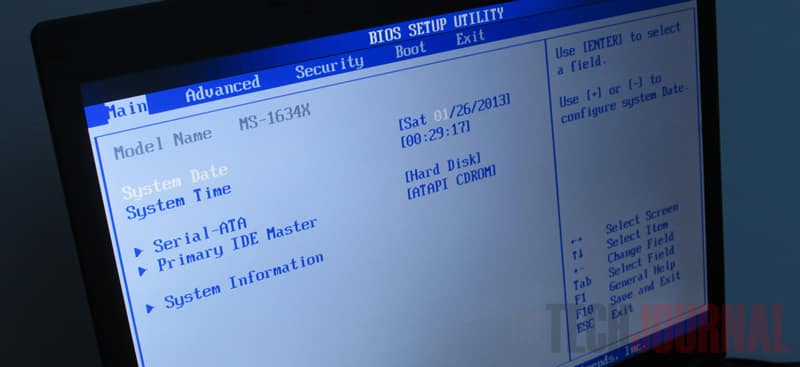
Restore from BIOS menu
The easiest way to reset the BIOS settings is from BIOS menu. To do that follow steps below.
Step 1: When you start your computer, press necessary button to access the BIOS; that button is usually Del, F1 or F2 which depends on the brand. This information is usually indicated on the start-up screen.
Step 2: Once you access the BIOS use your keyboard arrows and choose section Exit.
Step 3: Locate the command Load Setup Default. Select it with arrows on keyboard and confirm with Enter.
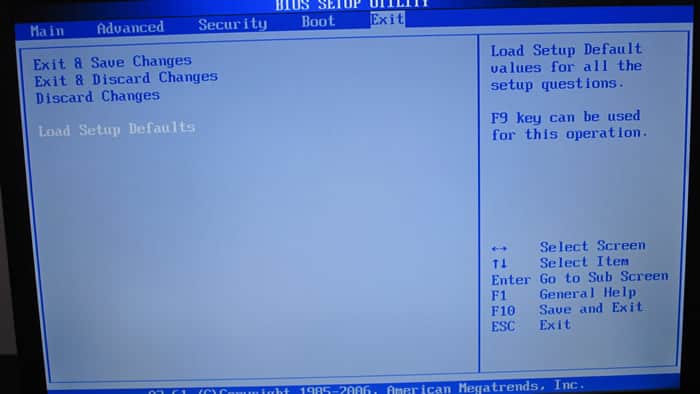
Step 4: Confirm the operation by pressing the Enter key. Then save the settings and restart your computer by pressing the F10 key and then pressing Y on your keyboard.
Use the CLEAR CMOS jumper on the motherboard
If your computer reboots repeatedly and you do not have access to the BIOS, you can reset your BIOS settings directly from the motherboard of your computer.
Step 1: Disconnect your computer from power and open it.
Step 2: Locate CLR CMOS jumper. Sometimes it is in the middle of the motherboard in the form of three pins, two are jumpered.

Step 3: Take the jumper from pins 1-2 and move to pins 2-3.
Step 4: Wait 10 seconds and reset the jumper to pins 1-2.
Step 5: Sometimes it is accessible from outside the PC via a button. In this case, simply press the button for ten seconds and release it.
Step 6: Restart your computer and BIOS settings are reset.
Remove the battery from the motherboard
If you can not find the jumper CLEAR CMOS on your motherboard, you can still reset your settings by removing the battery that powers the memory containing your settings.
Step 1: Disconnect your computer from power and open it.
Step 2: Locate the battery. You can not miss it: it is a button battery that looks like a big watch battery.

Step 3: Remove the battery using the small button on the side.
Step 4: Wait for few minute and put it back in place.
Step 5: Restart your computer and BIOS settings are reset.
Hope, you have been able to reset your BIOS settings to factory default using any of the above methods; let us know.
[ttjad keyword=”desktop-computer”]

![Read more about the article [Tutorial] How To Create A Diagram For Your Local Network In Windows 7](https://thetechjournal.com/wp-content/uploads/2012/11/fecontrol-panel-pm-asd79879as87d98as7d9as.jpg)
![Read more about the article [Tutorial] How To Safely Delete The Windows.old Folder In Windows 8?](https://thetechjournal.com/wp-content/uploads/2012/11/disk-cleanup-search-field-asde546556465w4r65we4rs-512x166.jpg)