
As a Mac user when you want to get more out of your pictures you will either use Lightroom or Aperture. Since most of the users used Lightroom the Apple creation was less used among the photographers, this until Apple came up with a new feature called brush, which allows user to make changes in different areas without affecting the background.
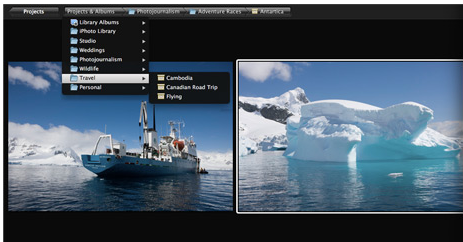
The new release- Aperture 3 tries to be a perfect application for iPhoto users giving them the opportunity to load directly from iPhoto, smoothing the process and making the program more approachable.
Aperture 3 provides new ways and powerful tools to organize images and manage libraries on Mac. The Faces and Places a powerful tool that use automatic face detection and recognition to organize photos by the people and easy find their photos later. It also allows user to organize photos based on the places you took them using a geotagging camera and drag and drop stuff on a map feature, this can be very creative if you take a bunch of pictures with friends and place them onto the map in locations you went and had fun. This gives a hand on creating a different and interesting type of album, and also you can create a browsable smart album from all your locations.
Apple creation also contains great built-in adjustments presets and if user wants he can create his own custom looks, automatically add location to photos by using a GPS tracking device, create awesome slideshows with professional themes adding text, borders, padding, background colors and soundtracks.
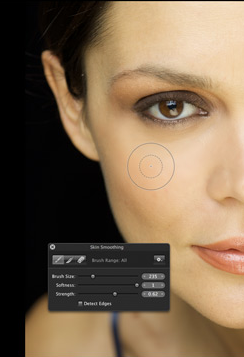 A great feature that comes with aperture is brushes, which lets the user to apply certain effects in limited areas using an adjustable brush. Brushes are great for lots of little things like bringing up the color in the eyes, emphasize contrast, bump the saturation in different areas, getting rid of freckles and acne are not a big problem anymore, just use the brush and this without even changing the background.
Another usefully thing is the full screen browser which allows users to take full advantage of display when browsing images, folders, albums and projects.
The new update Aperture 3.1.2 improves performance when importing photos from iPhoto, reliability when using brushes. You can download the update here.
[ttjad keyword=”mac”]

![Read more about the article [Report] Mac OS X Lion Launching July 6](https://thetechjournal.com/wp-content/uploads/2011/07/macosxlion.webp)
