[Tutorial] How To Perform A Hard Reset In Windows 8

If you something messed up in Windows and it wont work normally the first thing you probably do is reinstall entire Windows. Luckily Microsoft thought about this problem too and implemented a very cool feature inside Windows 8 called Hard Reset which will return your computer to normal work without any new Windows installation and in this tutorial I will show you how to use it.

Continue Reading [Tutorial] How To Perform A Hard Reset In Windows 8

[Tutorial] How To Disable Auto Brightness in Windows 8

You know that when you don’t use your phone for couple a seconds or minutes its screen brightness will dim down untill it rich 0% which will completely black your screen. This features exist in mobile devices in order to save your battery life and screen however there is no so much use when it comes to computer, well at least in my case. So in order to disable this feature you will need to turn off your auto brightness or adaptive brightness and in this tutorial I will show you how to do that.

Continue Reading [Tutorial] How To Disable Auto Brightness in Windows 8

Kouziro Introduces 21.5-inch Android Tablet In Japan, It’s Massive!

Earlier, we have seen that Asus Transformer AiO dual boot system with 18.4-inch display. Recently, Japanese-based electronic manufacturer Kouziro has introduced a gigantic 21.5-inch full HD display Android tablet. Its 21.5-inch display makes it one of the biggest Android devices around. The tablet is officially known as FT103 and runs on Android 4.0 (Ice Cream Sandwich) on a dual-core TI OMAP 4429 processor. The display resolution is 1920 x 1080 with a fairly low pixel density of 102ppi where the Google Nexus 7 clocks in at 216ppi.

Continue Reading Kouziro Introduces 21.5-inch Android Tablet In Japan, It’s Massive!

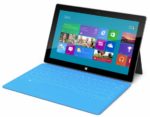
Microsoft Has To Face Low Yield Rates Of Surface Tablet

Microsoft’s Surface tablet is being considered a serious contender, at least in theory, in the tablet market. This is because this is the first actual offering with Windows 8 and that can woo a whole lot of users. However, in the unlikely event of Surface tablet sales picking up, will Microsoft be able to yield the tablet to put up with the sales? A number of reports suggest that this probably won’t be the case.

Continue Reading Microsoft Has To Face Low Yield Rates Of Surface Tablet

Microsoft Buys Perceptive Pixel To Make Windows 8 PCs More Powerful

Microsoft and large touch display company Perceptive Pixel Inc. (PPI) have announced their collaboration to work together in the near future. Actually all in all, Microsoft acquires Perceptive Pixel, one of the market leaders in the development of large-scale, unlimited multi-touch devices. Both the parties didn’t disclose their deal or any other plan. Microsoft has just hinted only to use the technology for their upcoming Windows-based PCs.

Continue Reading Microsoft Buys Perceptive Pixel To Make Windows 8 PCs More Powerful

[Tutorial] How To Encrypt a USB Flash Drive In Windows 8

If you fear that someone may access your sensitive that located on USB drive you can easily protect him within Windows 8 by using Bitlocker tools. This tool is available in Windows 8 Pro and it’s quite easy to use. In this tutorial I will show you how to encrypt your USB drive using Bitlocker and then safely read your data on any computer that is running under Windows XP and higher.

Continue Reading [Tutorial] How To Encrypt a USB Flash Drive In Windows 8

[Tutorial] How To Enable Safe Mode in Windows 8

You probably use Safe Mode in Windows XP, Windows Vista or Windows 7 a lot of times when something goes wrong. The Safe Mode is easiest way to discover what is causing problems in Windows and then fix them. Lunching Safe Mode is on old versions of Windows was quite easier, you simple restart a computer and then keep F8 key on your keyboard. However if something goes wrong in Windows 8 and you need to use Safe Mode, you wont be able to lunch it with F8 key because, you must first enable Safe Mode and in this tutorial I will show you how to do that.

Continue Reading [Tutorial] How To Enable Safe Mode in Windows 8

“Modbook Pro” Is The World’s Most Powerful And Largest-Screen Tablet Computer

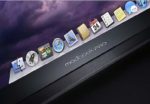
The Modbook, developed by Los Angeles, California-based Axiotron, Inc. is a slate-style Tablet computer that was introduced in the 2007 at Macworld Conference and Expo. At Macworld 2009, Axiotron announced the it will bring upgraded version of Modbook which would be the world’s most powerful and largest-screen Tablet Computer. But since then, Axiotron got expired from the tech world. But now, one of its co-founders, Andreas Haas is bringing back that “Modbook” as “Modbook Pro”from his new company- Modbook Inc.. Andreas Haas announced that “the new Modbook Pro is the world’s most powerful and largest-screen tablet computer.”

Continue Reading “Modbook Pro” Is The World’s Most Powerful And Largest-Screen Tablet Computer