
Android 4.2 Jelly Bean includes a new and hidden feature called Daydream. This is nothing more than a different name for Android screensaver. Unfortunately this feature is hidden by default, and not many users of Android 4.2 are familiar of it. That’s why, in this tutorial I will show you how to enable it.
To get started follow the steps below.
Step 1: From your home screen tap on the Menu button and then choose Settings.
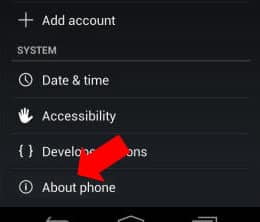
Step 2: Scroll the settings all the way down and then tap on About phone option.
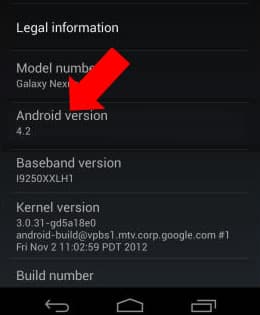
Step 3: In the middle of your screen you should see Android version 4.2 title. Tap on that few times quickly until you see Jelly Bean appearing on your screen.
Step 4: Then tap and hold that giant Jelly Bean until your phone vibrates. After that you should see interactive beans floating all around your screen.
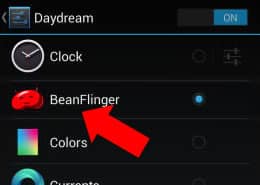
Step 5: The BeanFlinger Daydream will be unlocked from now on, and you can find it by going to Settings and then choosing Display.
Step 6: In the Display section you should see Daydream name.
To find out more, visit our Android tutorial section.

![Read more about the article [Tutorial] How To Use Your Voice To Take Pictures With Samsung Galaxy S III](https://thetechjournal.com/wp-content/uploads/2012/09/sgs3-settings-as7897y8tryd31f.webp)
![Read more about the article [Tutorial] How To Remove Spam Ads From Your Android Notification Bar](https://thetechjournal.com/wp-content/uploads/2012/08/app-install-asss5s55s5s54sa7f6sa5f3as.webp)
![Read more about the article [Tutorial] How To Download Videos From Facebook](https://thetechjournal.com/wp-content/uploads/2013/12/Download-Facebook-Videos.webp)